

Features
Everything you need.
No app required.
6 check-in methods (23 combinations), real-time analytics, and customizable design.
Create, manage, and analyze scavenger hunts — all from your browser.
Build free. Pay only when you go live.
Petanco is a self-service scavenger hunt app — no sales calls, no lengthy onboarding. Creating an account, building, and testing are always free.
Participants join by scanning a QR code in their browser. No app download, no sign-up — just scan and go.
You only pay when you publish — for the days it's live and the spots you add. Email support is included once you publish. Perfect for team building, tourism, festivals, and corporate events.
Tour Types
3 tour types
Choose from Stamp Tour, Point Challenge, and Collection Card. Spark your participants' sense of adventure and reward them for completing missions.
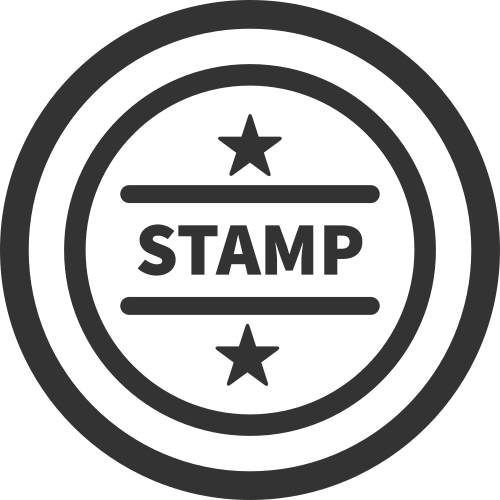
Stamp Tour
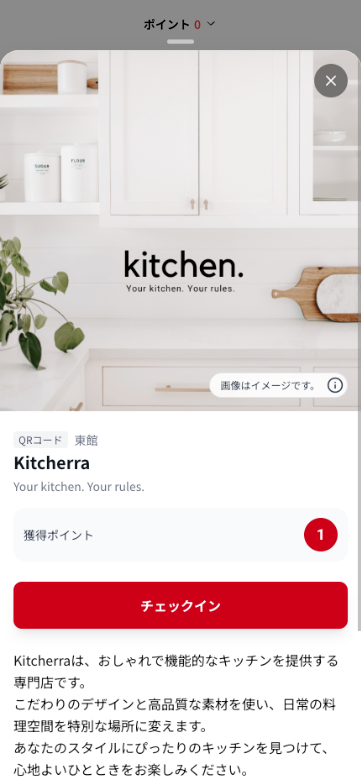
Visit spots and collect stamps — the classic stamp tour format. Set custom stamp images for each spot.

Point Challenge
Visit spots and collect points. Participants can check in at the same spot more than once.
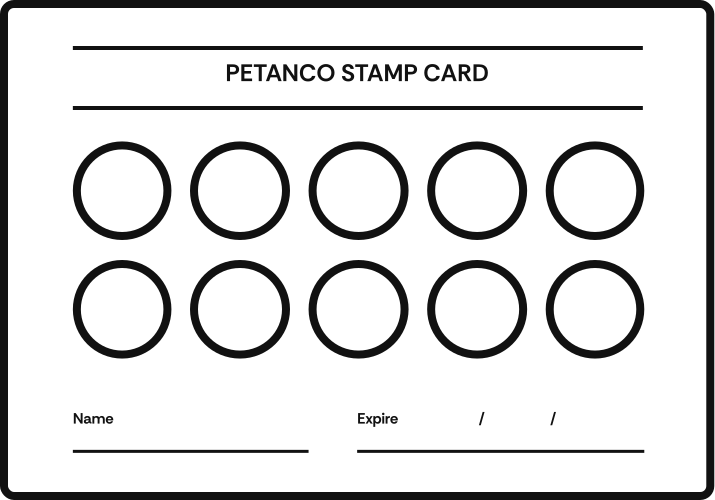
Collection Card
Set how many stamps each spot gives and let participants collect stamps at the same location again and again.
Comparing stamp tours, point challenges, and collection cards
| Use case | Stamp Tour | Point Challenge / Collection Card |
|---|---|---|
| Tourism & Walking Tours | Visit multiple spots and discover new attractions | Encourage repeat visits to specific facilities |
| Shopping Districts & Malls | Explore various shops and enjoy the experience | Build regulars who keep coming back |
| Festivals & Events | Visit booths and areas across the venue | Encourage repeat check-ins at key spots |
| Education & Learning | Tour campuses or museums for learning experiences | Reinforce learning with repeat visits |
| Health & Walking Programs | Encourage walking the entire route | Build habits through repeated participation |
| Promotional Campaigns | Drive traffic to many spots in a short period | Increase repeat visits over the long term |
Build it free
Experiment with all three tour types in your draft — free, no credit card.
Check-in Methods
Choose your check-in method
From QR Code, GPS, and NFC basics to interactive Quiz and Puzzle. Mix and match to fit your needs.
NFC Tag
Tap your phone to check in
GPS
Auto check-in via location
Keyword
Enter the correct keyword to collect a stamp
Puzzle
Complete a puzzle to collect a stamp
Check-in method comparison
"Setup effort" is a rough guide to how much you need to enter in the dashboard.
| Check-in method | Setup effort | Features | Best use cases |
|---|---|---|---|
| QR Code | Easy Nothing to enter in the dashboard | Just scan a QR code on a poster or sign to collect a stamp. Versatile and easy to use. | Shopping districts, event venues, indoor spots |
| NFC Tag | Moderate Each tag has to be written individually | Just tap your phone on an NFC tag to check in. Attach tags to posters or signs for one-touch participation. | Posters, signage, indoor facilities, one-touch experiences |
| GPS | Moderate Coordinates and a radius must be set for each spot | Automatically detects when you're within range of the spot. Works even where QR codes can't be placed. | Parks, tourist sites, walking events, city-wide tours |
| Keyword | Easy Just enter the keyword | Enter the correct word or phrase to collect a stamp. Perfect for mystery hunts and quiz trails. | Educational events, museum mysteries, sightseeing quizzes |
| Quiz | Complex Each spot needs a question, up to 4 choices, and the correct answer | Answer a multiple-choice quiz (up to 4 options) to collect a stamp. Great for family-friendly interactive experiences. | Kids' events, family festivals |
| Puzzle | Easy Just upload one image | Complete a puzzle to collect a stamp. | Online events |
Combine methods
Each method works on its own, but you can also combine them. "QR Code + GPS", for example, adds a location check on top of the QR scan, which makes cheating much harder. Combinations like "QR Code + Quiz" — scan first, then answer — work too. Together, the 6 methods give you 23 check-in combinations.
Mix and match all 6 check-in methods
Combine QR Code, GPS, NFC, Keyword, Quiz, and Puzzle however you like. Build it free first.
Reward Methods
On-site or Online.
Flexible ways to hand out prizes
Choose from Application Form, In-Person Exchange, or Download — all while collecting as little personal data as possible.
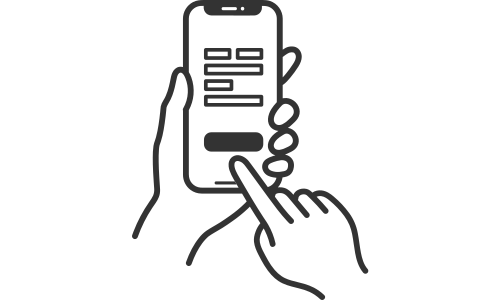
Application Form
Once participants reach the required number of stamps, they enter for the reward through a dedicated form. Ideal for high-volume entries.
In-Person Exchange
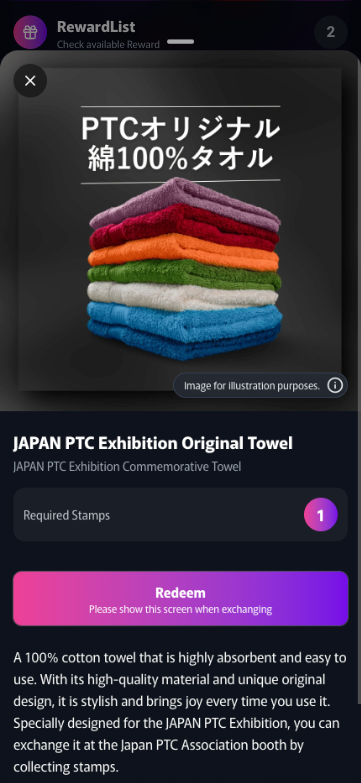
Staff check the participant's reward screen and hand over the prize in exchange for the stamps they've collected.
Download
Exchange collected stamps for downloadable content such as coupons, images, or PDFs.
Instant Win
Run an instant-win drawing when participants claim rewards. Set the win probability (0–100%) and the maximum number of winners. Works with every reward method.
Reward method comparison
| Reward method | Pros | Cons |
|---|---|---|
| Application Form |
|
|
| In-Person Exchange |
|
|
| Download |
|
|
Login Methods
2 Login Methods
"No Login" lets participants join instantly — no app download or registration. "Easy Login" just needs an email address — no password.
No Login
No registration required. Just open the browser and start.
Easy Login
No password needed. Verify with email only. Works across multiple devices.
Login method comparison
| Login method | Pros | Cons |
|---|---|---|
| No Login |
|
|
| Easy Login |
|
|
Data Analytics
All your data, in real time
See everything in real time — stamps collected, reward entries, survey responses, and more — as charts and metrics on your dashboard. Export to CSV for deeper analysis with external tools.
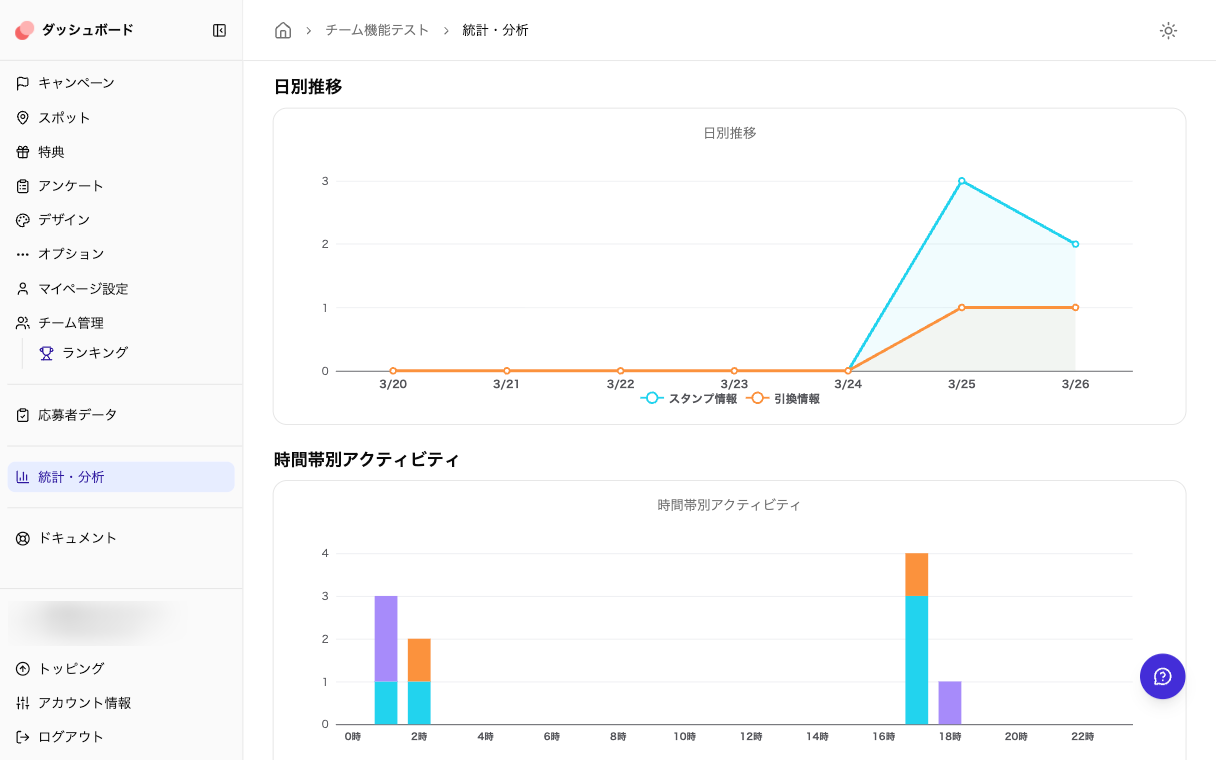
Daily Trends & Hourly Activity
View check-in and redemption trends as line charts. Hourly activity is shown as a bar graph.
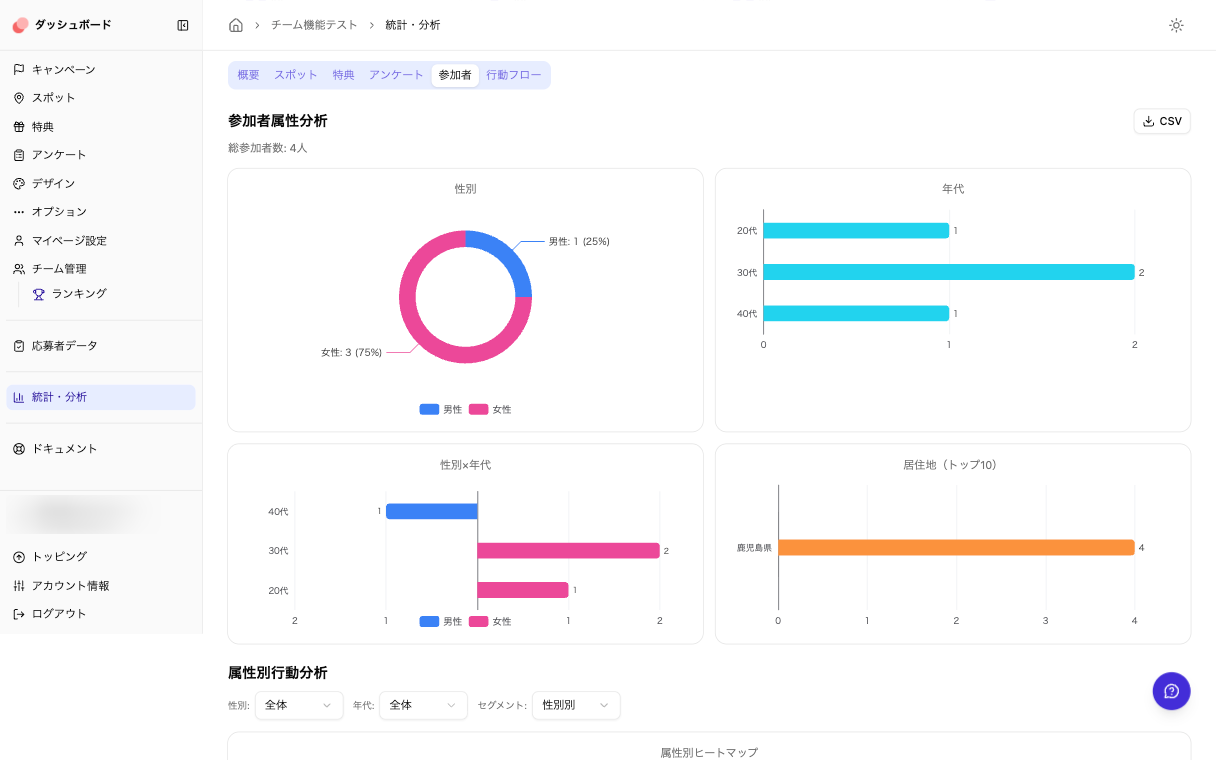
Participant Demographics
Visualize gender, age group, and gender × age group breakdowns. See who's taking part.
Available when the Age Group / Gender survey presets are on. Works with any login type.
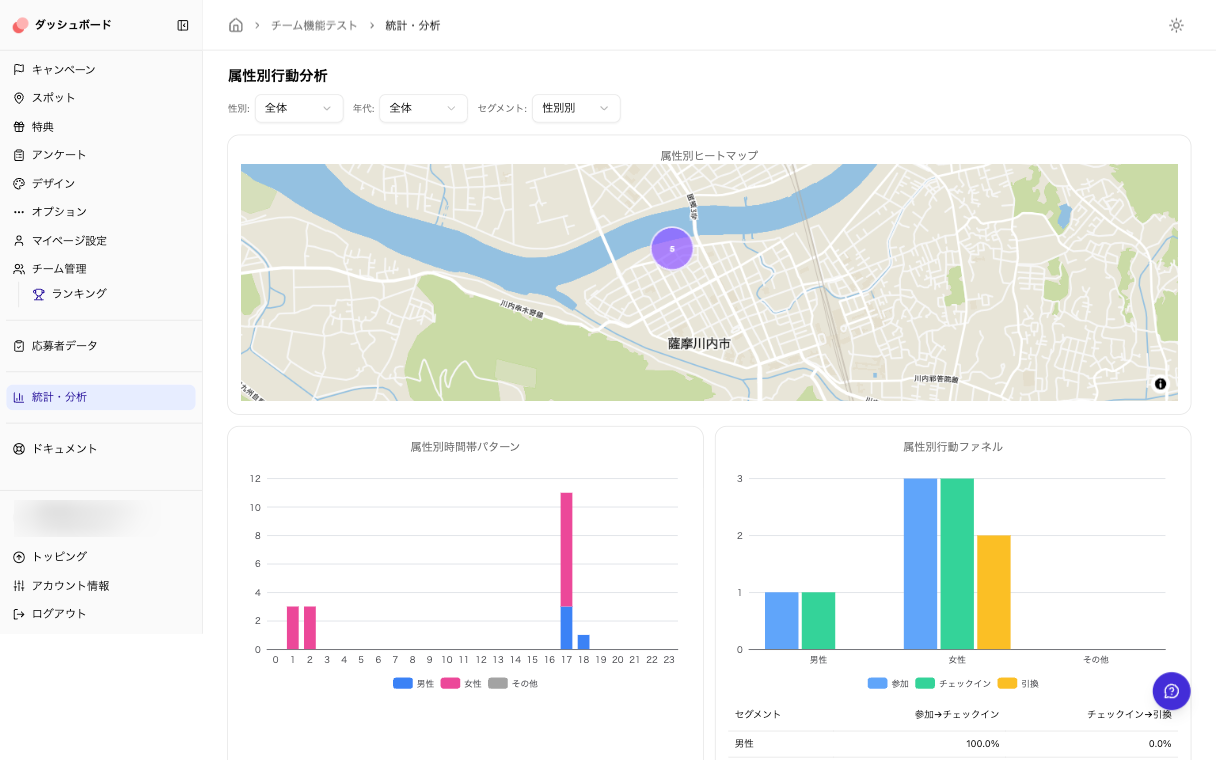
Behavioral Analysis by Demographics
Analyze behavior trends by demographics with heatmaps, hourly patterns, and funnels (join → check-in → redeem).
Available when the Age Group / Gender survey presets are on. Works with any login type.
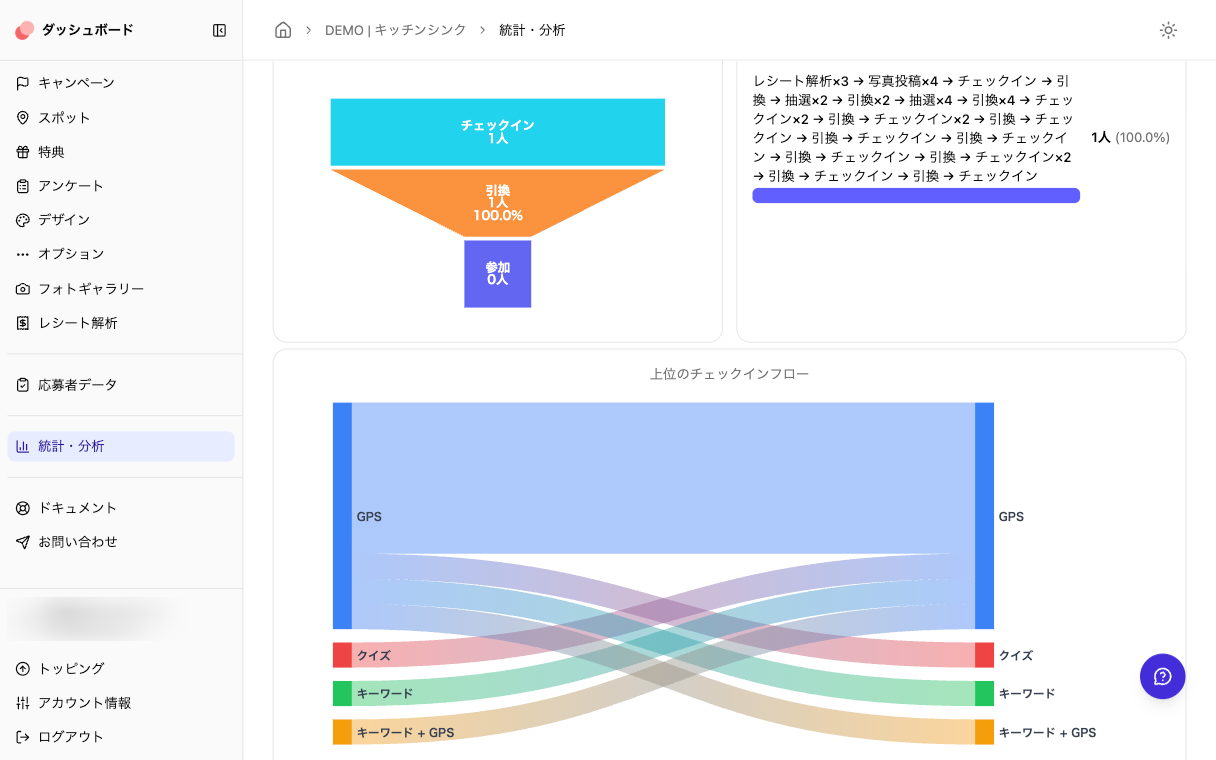
Behavior Flow Analysis
View overall funnels (join → check-in → redeem), common behavior patterns, top check-in flows, and transition heatmaps.
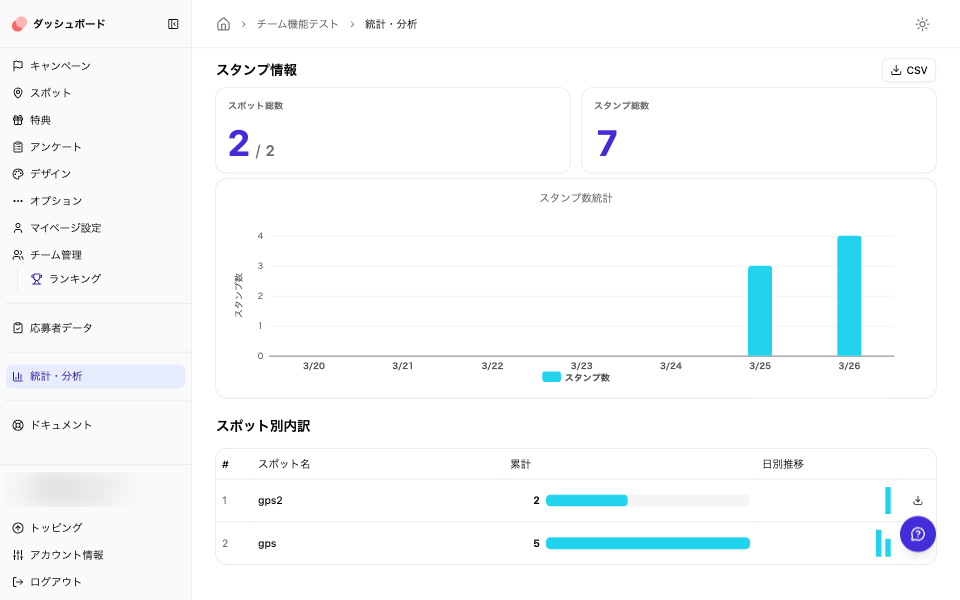
Check-in Statistics
View KPIs for total spots and stamps, daily stamp trends, and per-spot breakdown tables. CSV export available.
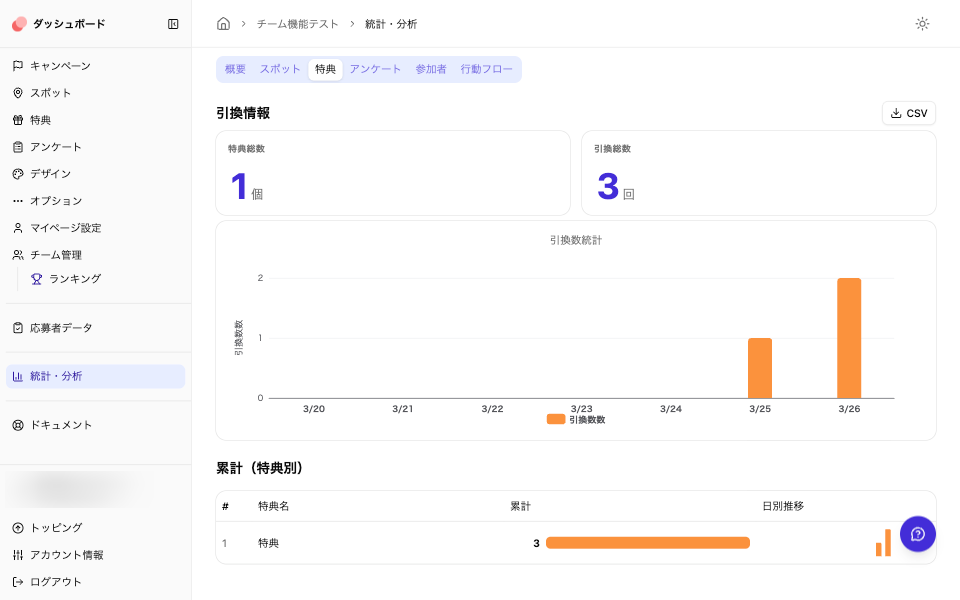
Reward Redemption Data
View KPIs for total rewards and redemptions, daily redemption trends, and cumulative tables per reward. CSV export available.
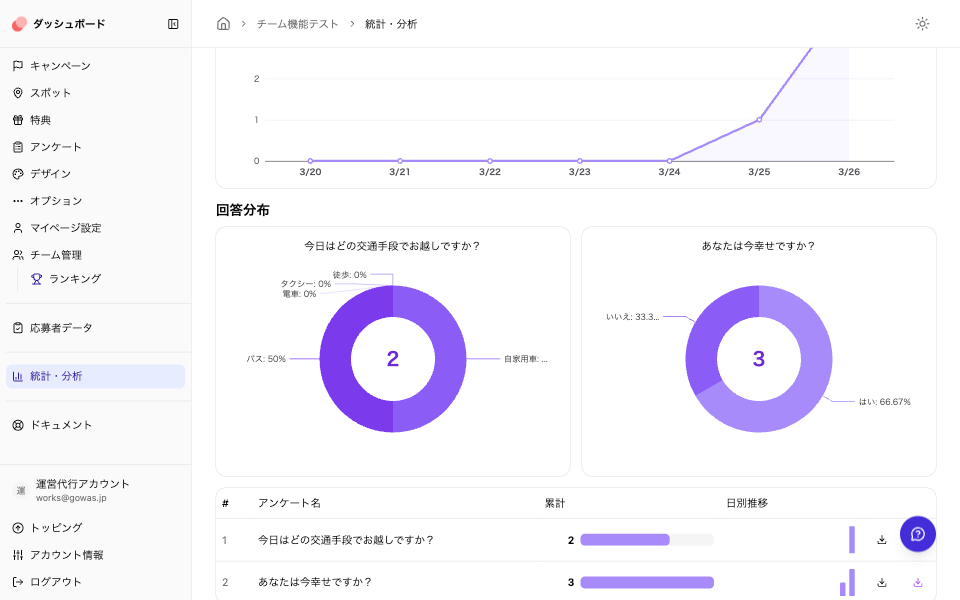
Survey Results
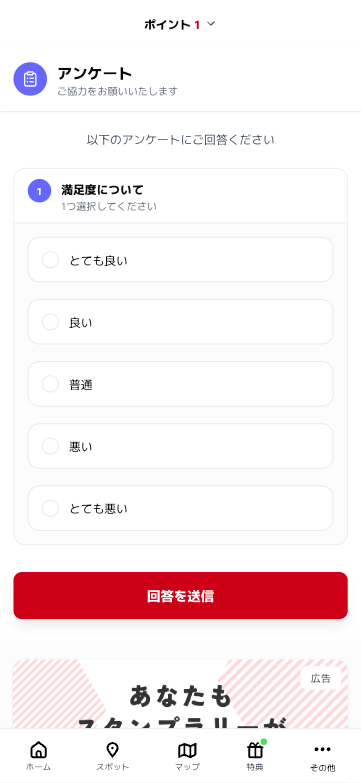
Aggregate response counts per option and view distributions as charts. Download response data as CSV. Cross-tabulation supported.
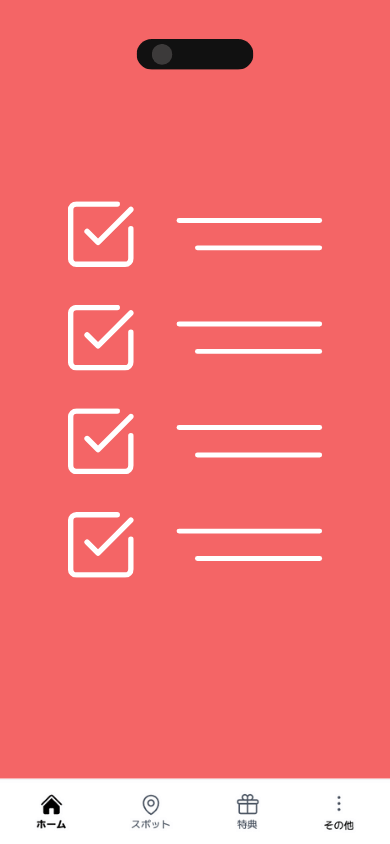
Survey
Surveys from all participants
Choose when each question appears — ask about demographics when participants first open the hunt, and for event feedback when they claim a reward.
Multilingual & Time Zones
Reach participants around the world
Display your stamp tour in Japanese, English, Korean, and Traditional Chinese. Set a time zone for each scavenger hunt, so your event runs on local time — anywhere in the world.
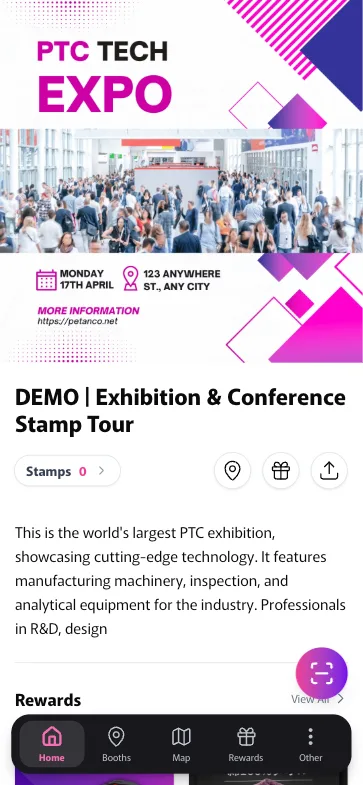
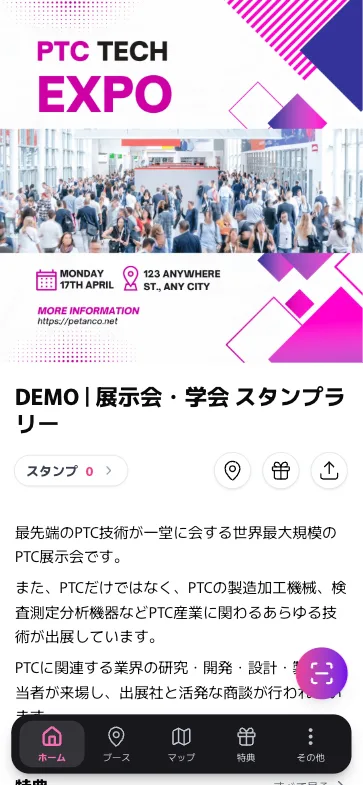
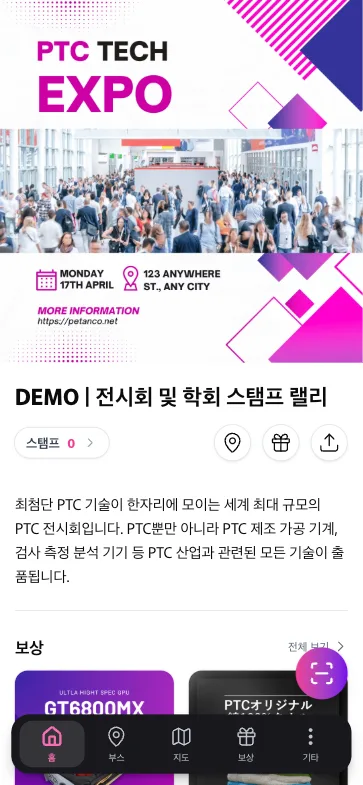
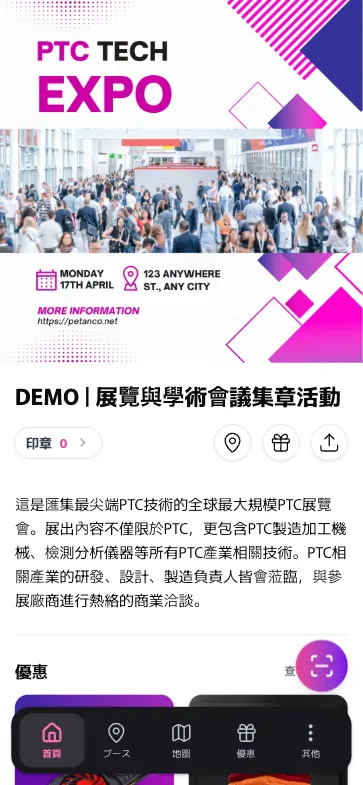
The same stamp tour, displayed in the language each participant chooses (examples shown in Japanese, English, Korean and Traditional Chinese).
Multilingual content
Register spot names, reward names, and descriptions per language, and a language selector appears on the participant site. One-click AI translation keeps translation work to a minimum.
Run on local time
Set a time zone for each hunt. Publish periods, stamp collection periods, and stats all follow the local time you choose, wherever your event takes place.
Other Features
Other features
Thoughtful features that cover every detail.
Fonts
Choose from Sans-serif, Serif, and Rounded font styles.
Theme Color
Customize button colors and more with multiple theme color options.

Custom QR Code
Add a custom image to the center of your QR code.
Scheduling
Set individual publish and stamp collection periods for each spot.
Stock Management
Set stock limits on rewards — entries stop automatically when the limit is reached.
Backup
Back up and restore collected stamps.
Custom Labels
Replace menu items and heading text with your own wording.
Grouping
Organize spots into custom categories.
Multiple Routes
Set up multiple routes within a single campaign.
Linked Application Form
Add shipping fields to the application form. Entries are written straight to your own Google Sheet — name, address, and contact details.
Multilingual
Supports Japanese, English, Korean, and Traditional Chinese. AI-powered one-click translation available.
Time Zone
Run your hunt on local time, wherever it's held.
Instant Win
An instant-win drawing when participants claim a reward — they see the result right away.
Map Settings
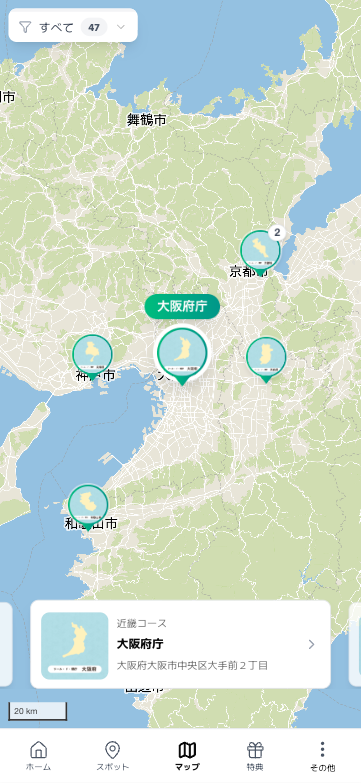
Use a digital map or custom image map (floor maps, etc.).
Age Group & Gender Presets
Ask participants their age group and gender with one switch, then compare stats by demographic.
AI Assistant
Auto-generate spot descriptions. One-click translation into other languages.
Design Philosophy
Simple by design
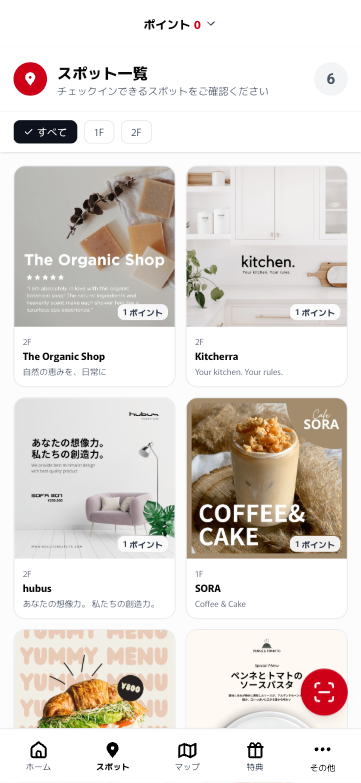
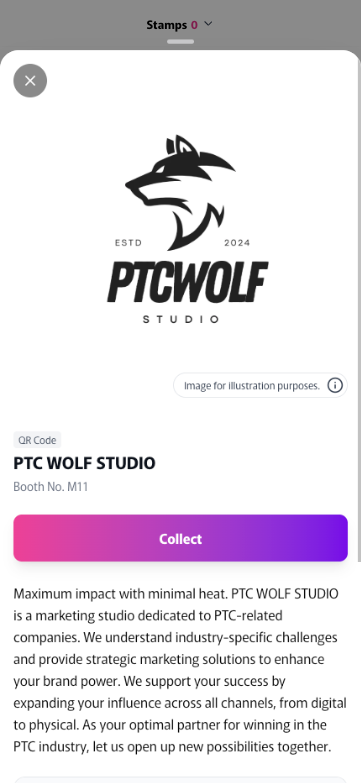
Petanco uses a clean, minimal design that lets your uploaded images shine — no unnecessary decorations.
A scavenger hunt isn't a showcase website — it's a tool people use. That's why we focus on an intuitive, easy-to-understand interface that anyone can navigate without confusion.
Privacy
How we handle personal data
Petanco collects only the personal data it needs — and keeps it secure.
Personal data Petanco stores
| Who | Personal data | Description |
|---|---|---|
| Organizer | Email address registered at account creation | The organizer's email address is stored securely until the account is deleted. |
| Participant | When using Easy Login Email address registered at login | The email address used to log in is stored securely until the campaign ends. Organizers cannot view participant email addresses. |
| Participant | When the organizer turns on the Age Group / Gender survey presets Age group and gender answers | With any login type, participants are asked for their age group and gender only when the organizer turns on these presets. We never collect usernames or where participants live. Answers are used only for aggregated statistics (comparisons by age group and gender) and do not appear in the entry data list or CSV. |
| Participant | When using the Application Form Email address entered when applying for rewards | Participant email addresses are not used by Petanco. They are automatically deleted from the server 30 days after the campaign's publish period ends (for campaigns created on or after October 1, 2026). |
Personal data Petanco doesn't store
| Who | Personal data | Description |
|---|---|---|
| Organizer | Credit card information | Petanco uses Stripe for credit card payments. All card information is securely managed by Stripe and is not stored by Petanco. |
| Participant | Contact form submissions | Content submitted through the contact form is forwarded to the organizer only and is not stored on Petanco's servers. |
FAQ
Frequently asked questions
Start building free
Building and testing are free. Pay only when you go live — from $60.
Best built on a computer or tablet